

Access Your Credentials
Generate your Client ID and API Key, store them safely, and prepare the credentials needed to authenticate with the Verto API.
API Keys & Credentials
Create your Client ID and API Key, store them safely, and prepare the credentials you need to authenticate with the Verto API.
Developer Sandbox
Sandbox environments are unconditionally free and give you instantaneous access to test all advanced routing features.
✅ Before you generate credentials
Make sure these conditions are true before you start:
- You can sign in to the correct sandbox or production workspace.
- Your user role can access the Verto API section in the dashboard.
- You have a secure place to store the
Client ID,API Key, and any certificate material you generate.
1️⃣ Step 1: Create your Sandbox Account
- Navigate directly to the Sandbox Portal.
- Authenticate your email address and verify the OTP via phone.
- Set up Multi-Factor Authentication (MFA).
- Finalize your profile to trigger the workspace activation.
2️⃣ Step 2: Generate your API keys
If the Verto API menu is missing, ask your workspace admin to grant the required API permissions before continuing.
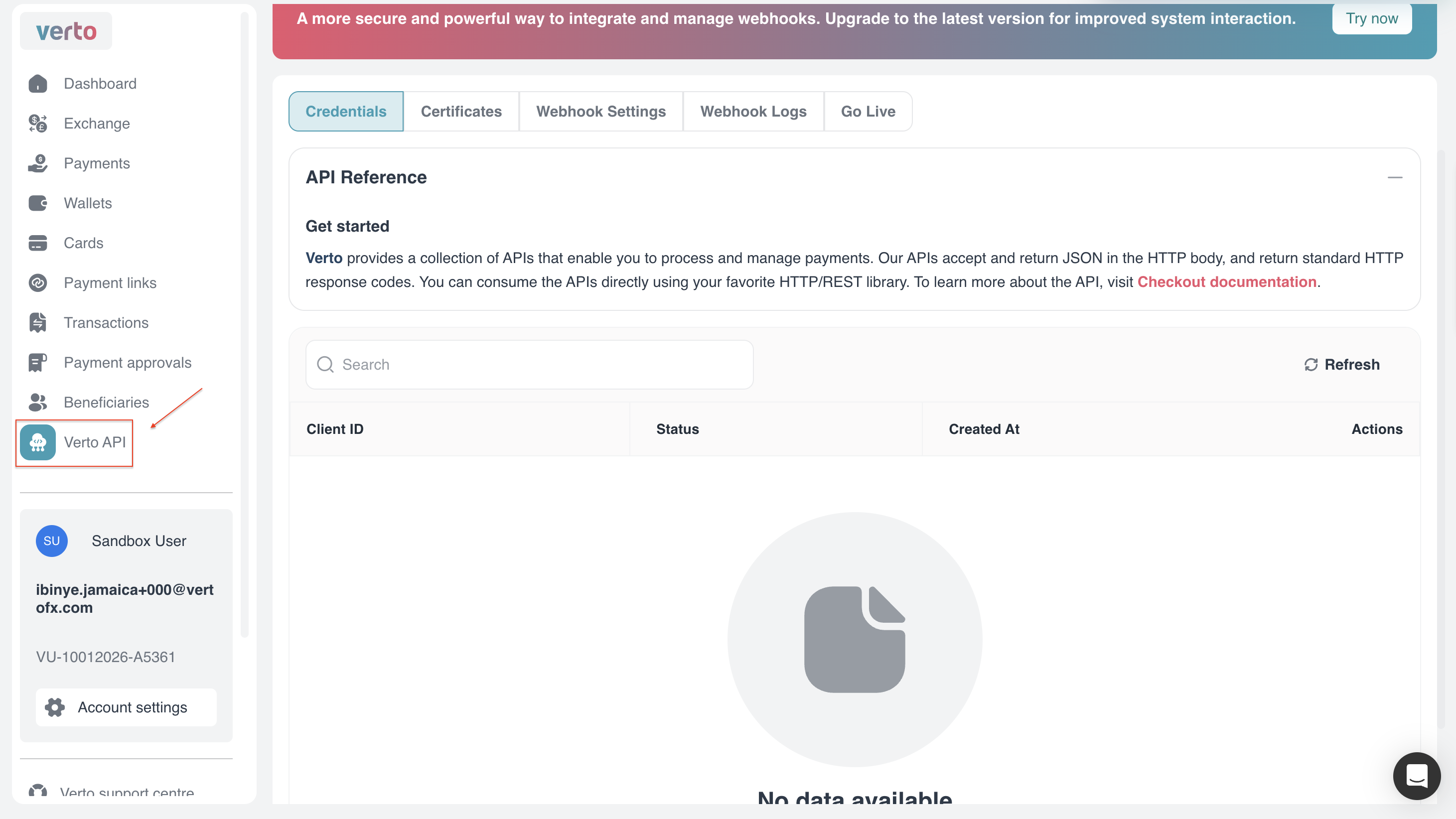
1. Navigate to Verto API
From the left-hand navigation bar, click Verto API.
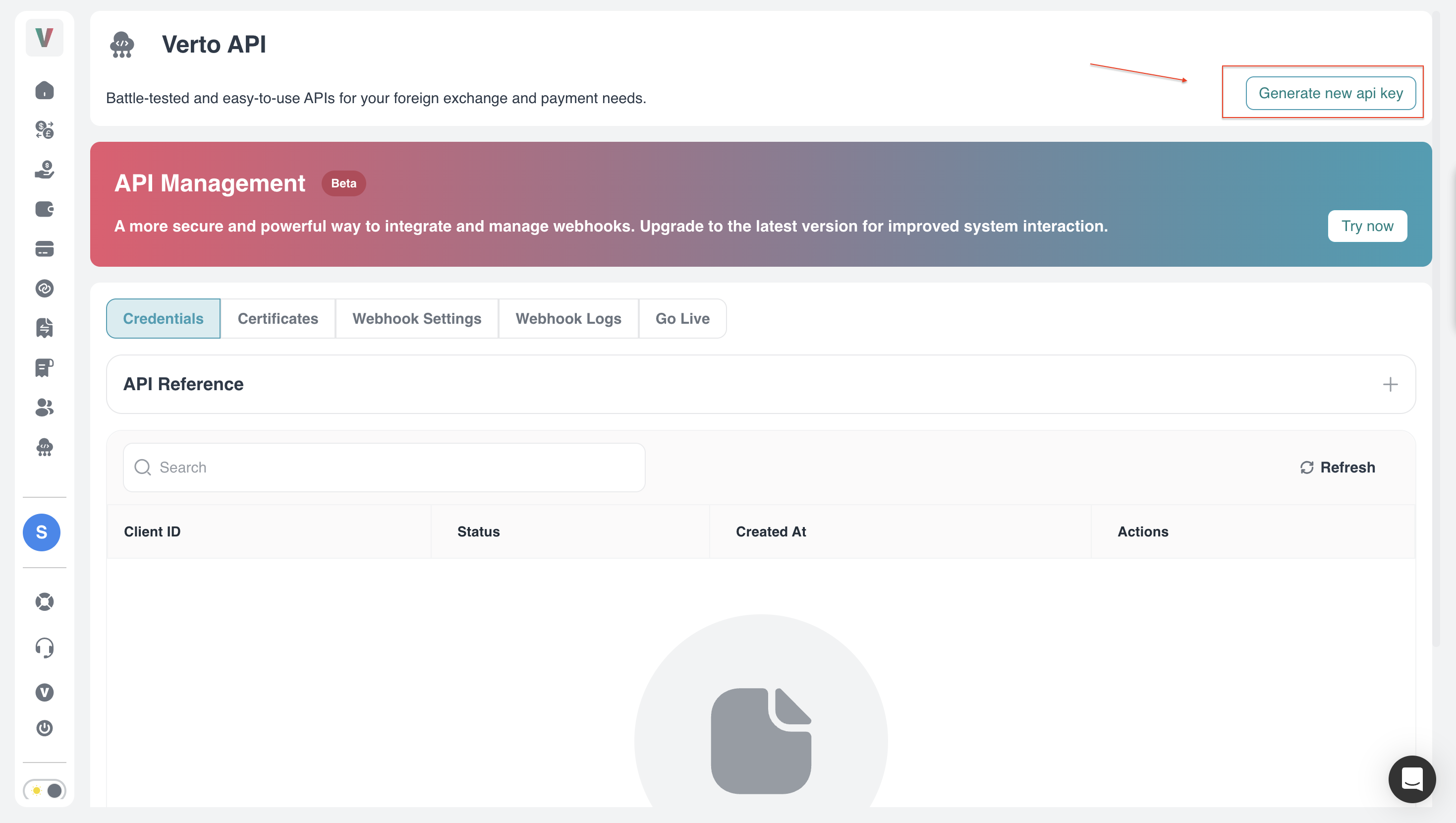
2. Generate a new API key
On the Credentials tab, click Generate new api key (top right).
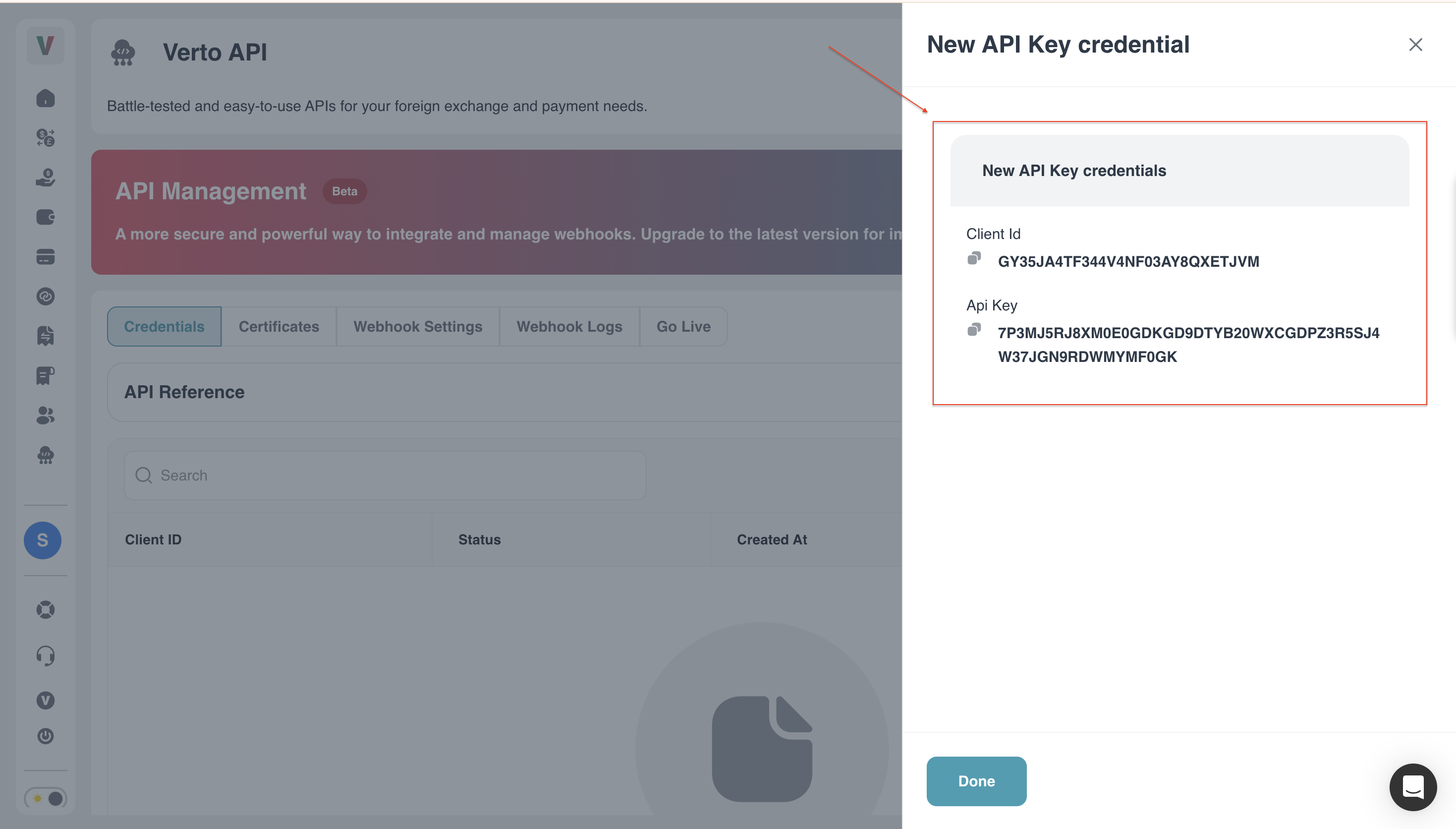
3. Copy your Credentials
A modal will surface revealing the Client ID and API Key. Store these immediately in your local .env variables!
Key ConstraintsYou may only generate a maximum of three (3) active keys concurrently!
Verto only shows the API key once. If you do not save it when the modal appears, you will need to generate a new key.
3️⃣ Step 2b: Generate your Public Key (Certificates)
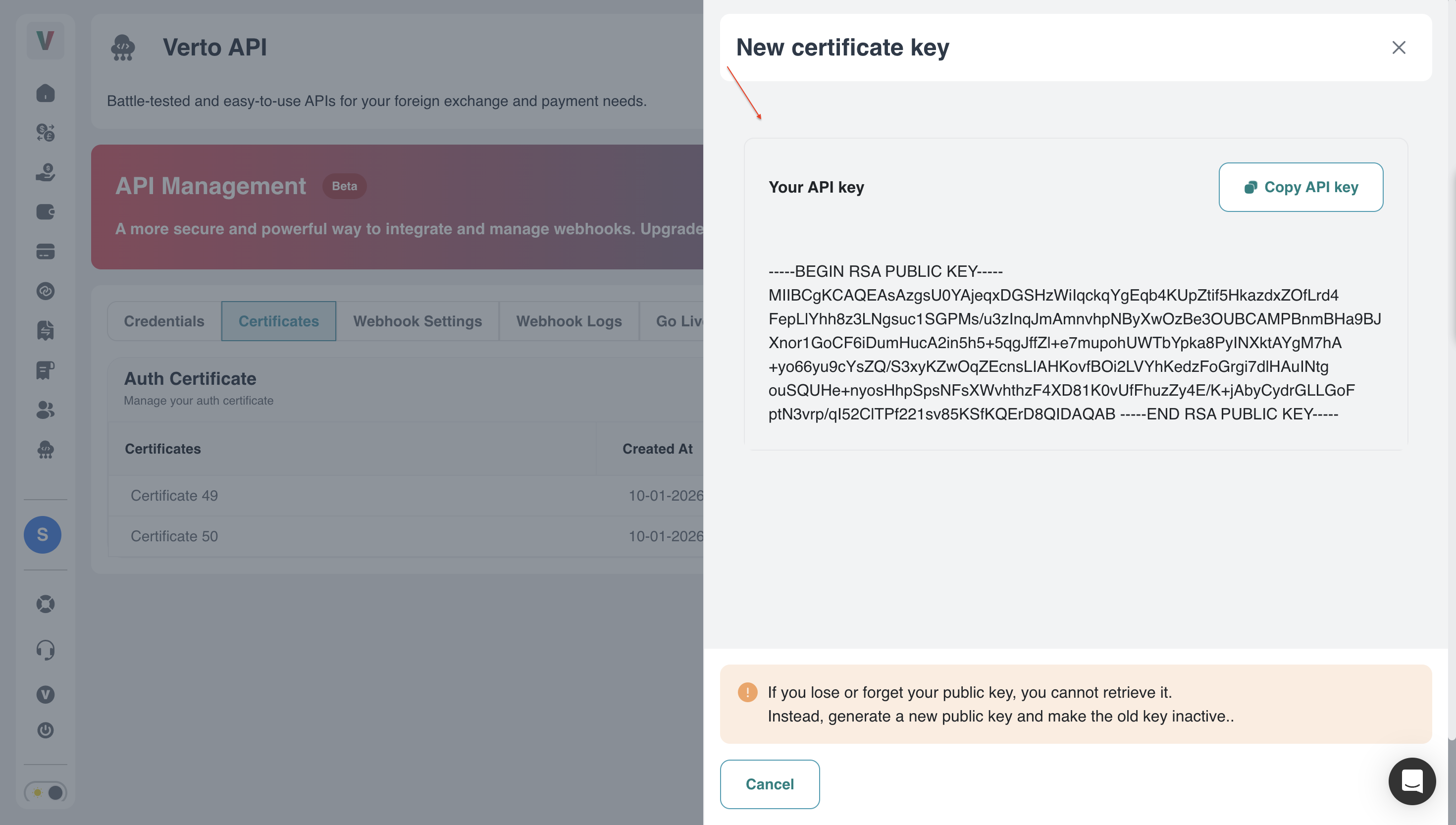
Generate certificate material if you are implementing the recommended certificate-based authentication flow or another high-security integration pattern.
On the same portal, click the Certificates tab and execute Generate Public Key.
⚖️ Eligibility and restrictions
API access dictates your exact operational ceiling.
| Requirement Matrix | 🏦 Atlas for Fintech (Partner KYB) | 🏢 Atlas for Platforms (Verto KYB) |
|---|---|---|
| Mechanics | You deploy via a master wallet, verify customers natively, and capture wholesale flows. | Verto enforces and accepts KYB documents directly from your underlying platform operators. |
| Production Unlocked | ⚠️ Complex compliance review. | ⚠️ Direct Verto KYB required on your business. |
| Sandbox Status | ✅ Instantly Approved everywhere. | ✅ Instantly Approved everywhere. |
Operational notes
Keep these rules in mind when you move beyond sandbox setup:
- Production API access depends on Verto approval and commercial enablement.
- Production traffic may require IP allowlisting before requests are accepted.
- Rotate and revoke credentials deliberately so integrations do not fail unexpectedly.
🎯 Next steps
| Authentication → Choose your auth method and obtain a bearer token. | Quickstart → Use your credentials in your first sandbox request. |
Updated about 2 months ago