

Webhook certificates
Generate the certificate your endpoint uses to confirm that a webhook really came from Verto.
A webhook certificate lets your server check that an incoming webhook was sent by Verto. This step is optional, but we recommend it for production. For how to verify calls on your server, see Certificate-based authentication.
Generate a certificate
- On the Verto API page, open the Webhook certificates tab.
- Click Create certificate.
- Read the confirmation and click Generate certificate. You may be asked for your authenticator (MFA) code.
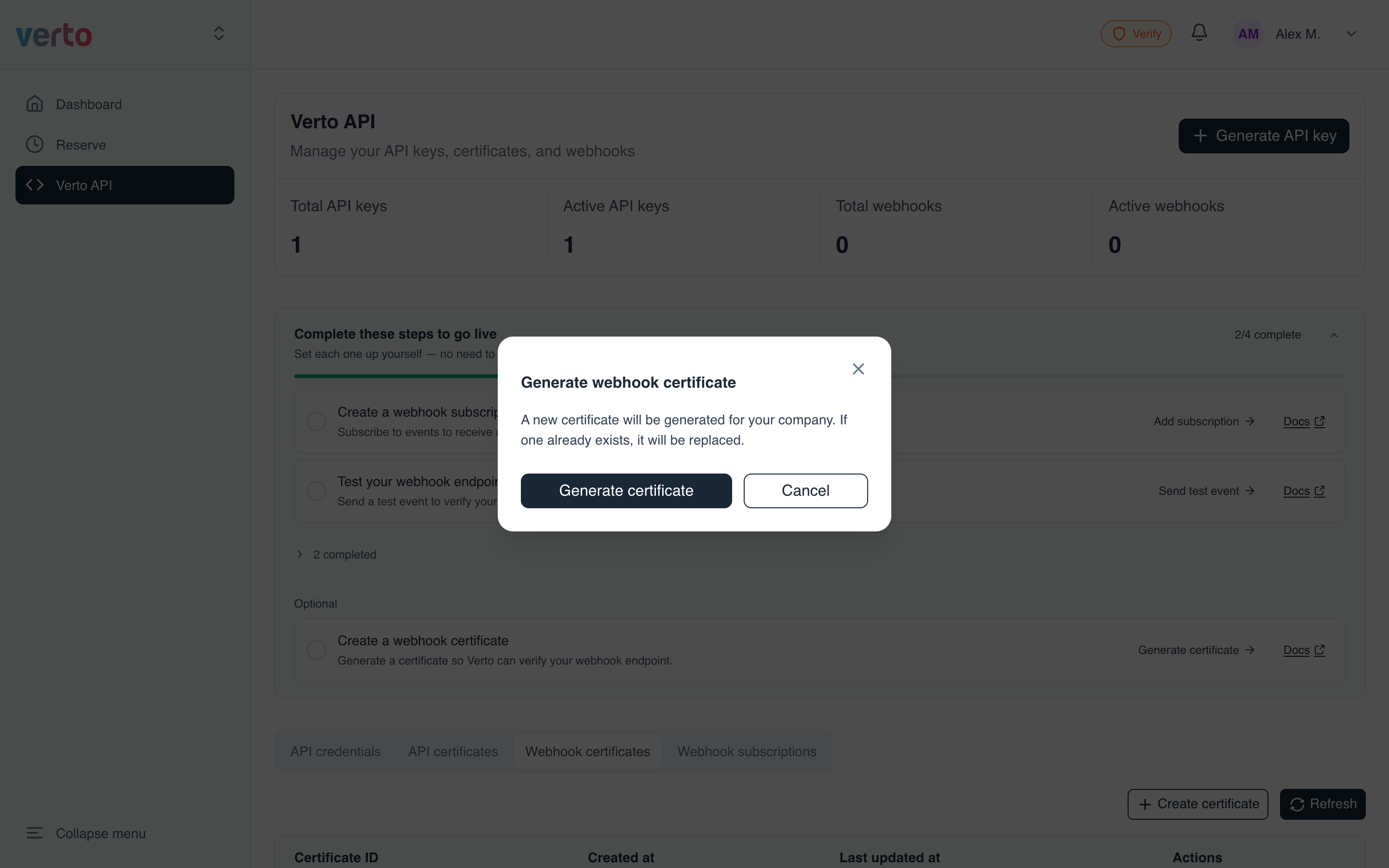
Generating replaces the existing certificateYour company has one webhook certificate. Generating a new one replaces the current one, so deploy the new certificate to your server straight away.
Download, copy or delete
The certificate appears in the table:
- Download saves it as
<certificate-id>.pem. - The copy icon copies the certificate ID.
- The bin icon deletes the certificate.
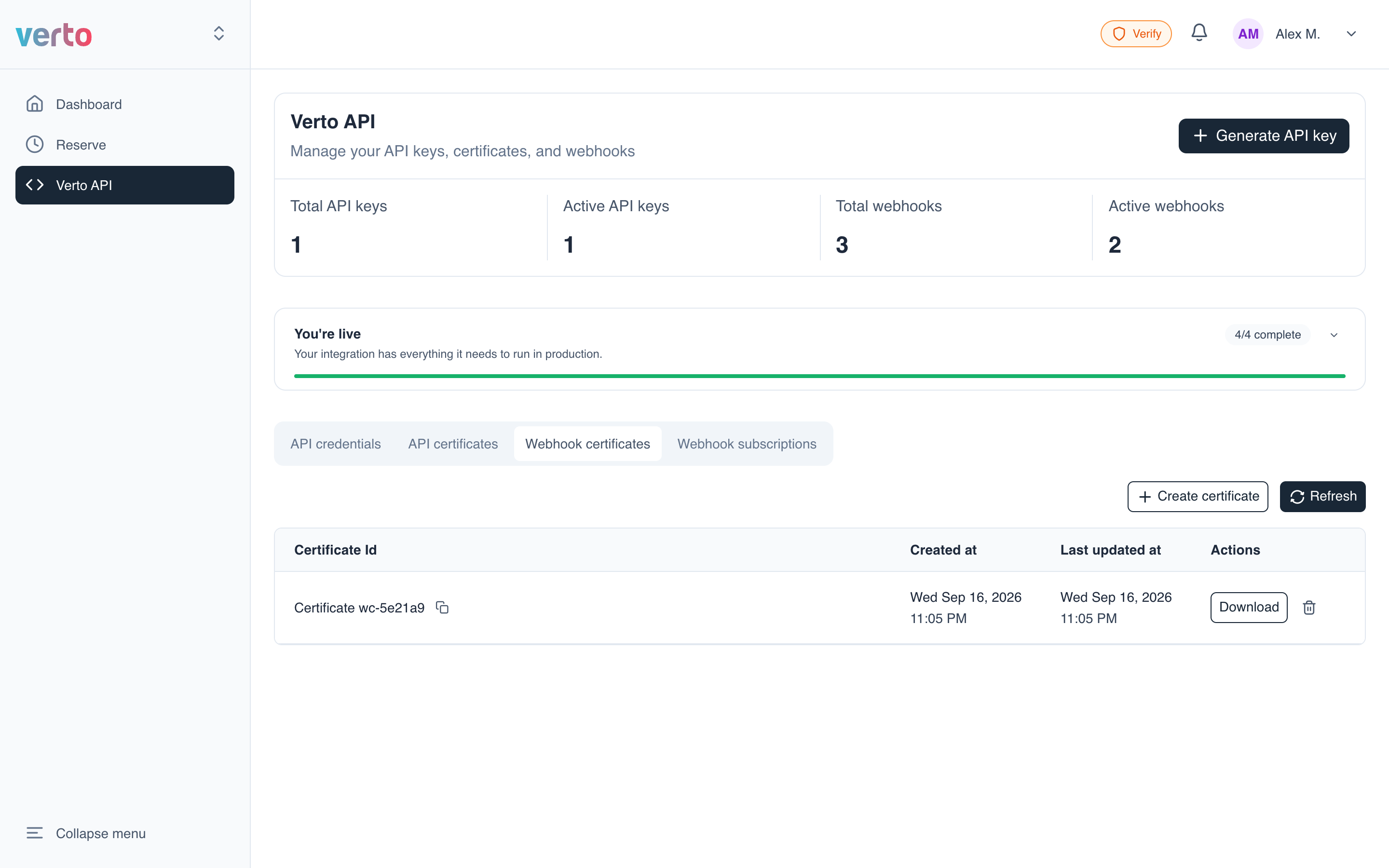
Deleting can't be undoneDeleting the certificate turns off webhook authentication. You can generate a new one at any time, but the deleted one is gone.
Updated 14 days ago
Did this page help you?