

Manage webhook subscriptions
See every subscription, edit it, or pause it to stop receiving events.
The subscriptions list
The Webhook subscriptions tab of the Verto API page lists every subscription:
| Column | Meaning |
|---|---|
| Name | Green dot = Live (active). Grey dot = Inactive (paused). |
| Topics | The first two topics, then +N for the rest |
| Webhook URL | The destination (long URLs are shortened) |
| Last attempt | Success or Failed for the most recent delivery, or No event if nothing has been sent yet |
Click a row to open the subscription's detail page. The ⋮ menu on each row offers:
- Edit: change the subscription (write access only).
- View logs: open the delivery logs.
- Test: send a test event.
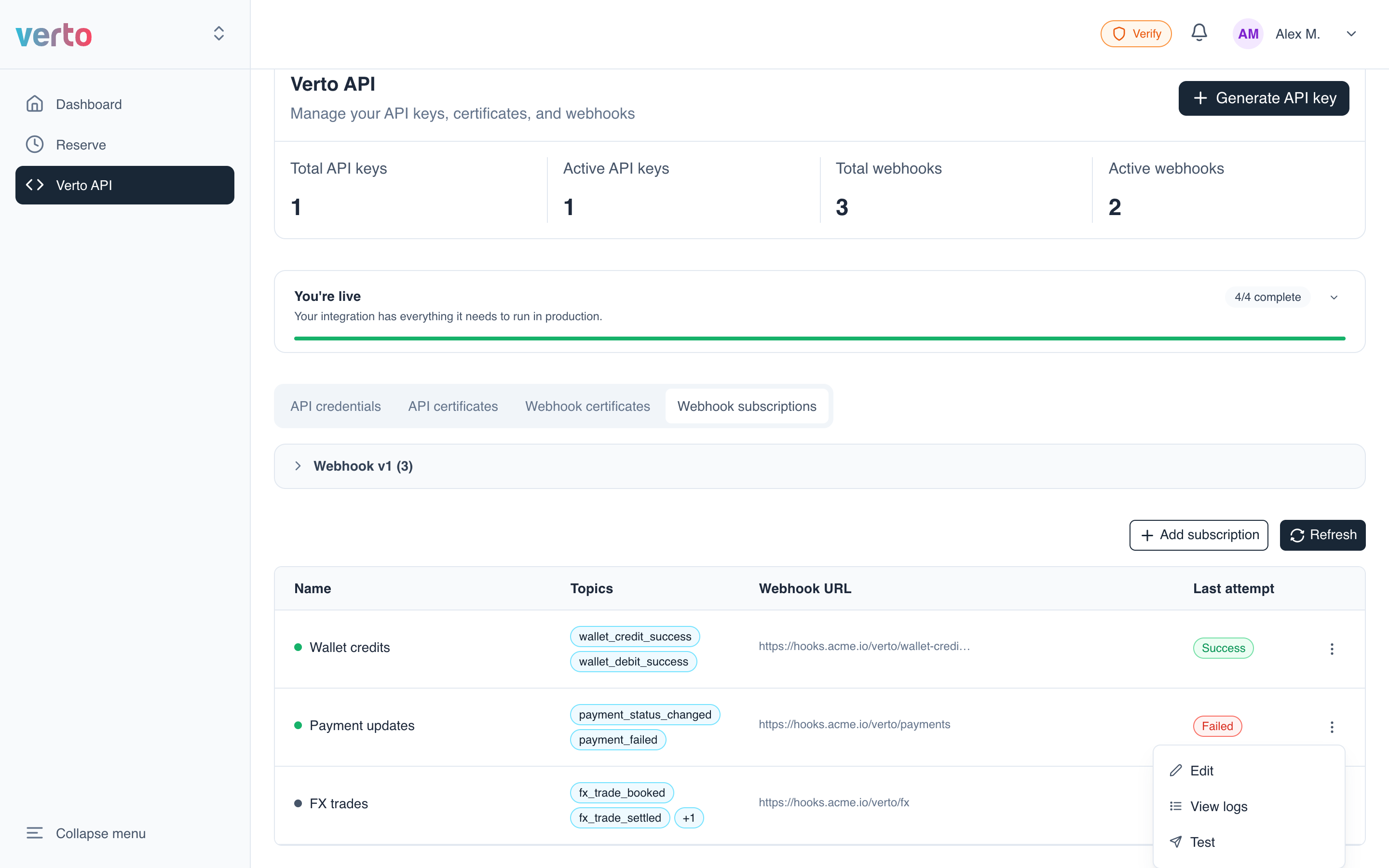
Click Refresh to reload the list. It shows 10 subscriptions per page; page controls appear below the table when you have more.
Edit a subscription
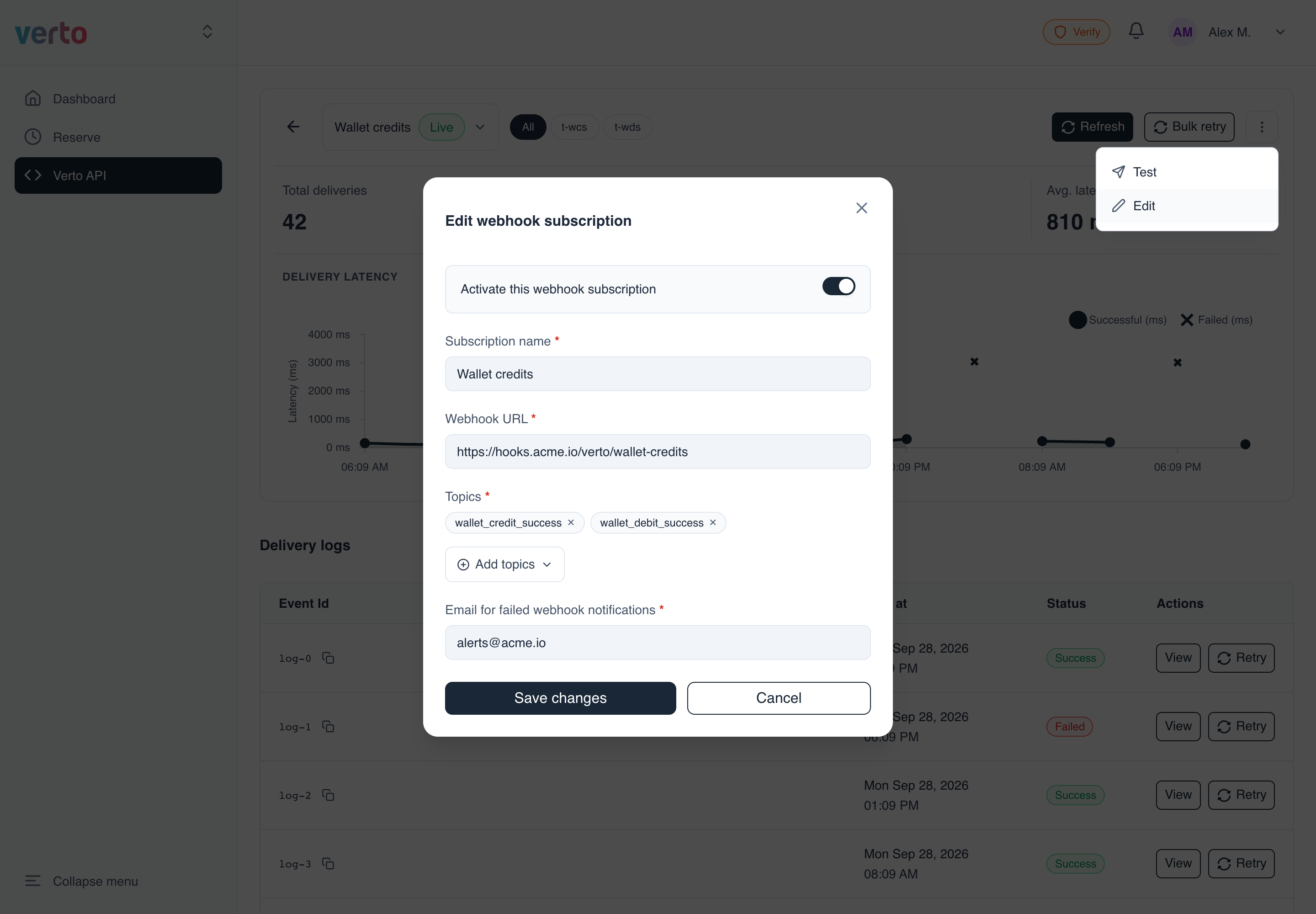
Open Edit from the ⋮ menu in the list, or from ⋮ More actions → Edit on the subscription's detail page. The form is the same as the create form, filled in with the current values.
- Change the name, URL, topics or failure email.
- Click Save changes.
Pause a subscription
To stop receiving events, open Edit, turn off Activate this webhook subscription, and click Save changes. Verto stops sending events to that URL until you turn it back on.
Subscriptions can't be deletedYou can't delete a subscription from the platform. Pause it instead.
Updated 14 days ago